🙏 Jay Bhim!
Buddhist Biodata for Marriage in Marathi & English
Your one-stop solution for Buddhist marriage biodata - simple, professional, and community-focused.
100% Secure to Edit
No Registration Required
Instant Download
Create Marriage Biodata
Fill in your details, upload your photo, choose a template and download a print-ready PDF or Word file in under 5 minutes.
Step 1
Step 2
Step 3
Choose your language
Biodata Title

God Name
Choose your photo
Upload your profile photo, biodata with photos get more attention.
Photo Tips
- • Use a clear, recent photo with good lighting
- • Face should be clearly visible and centered
- • Avoid group photos or heavily filtered images
- • Professional or formal attire recommended
- • Image will be cropped to 4:5 ratio automatically
How to Make a Marriage Biodata Online (Simple Step-by-Step)
Putting together a marriage biodata is much easier than it used to be. With an online tool, you can create a neat, presentable biodata in just a few minutes. You simply choose a template, fill in your details, and download it ready to share on WhatsApp or any matrimonial platform.
- Step 1: Choose a Template
Start by picking a template that matches your style and community. There are options for boys, girls, and different backgrounds. Go with something that looks clean and feels appropriate for you and your family.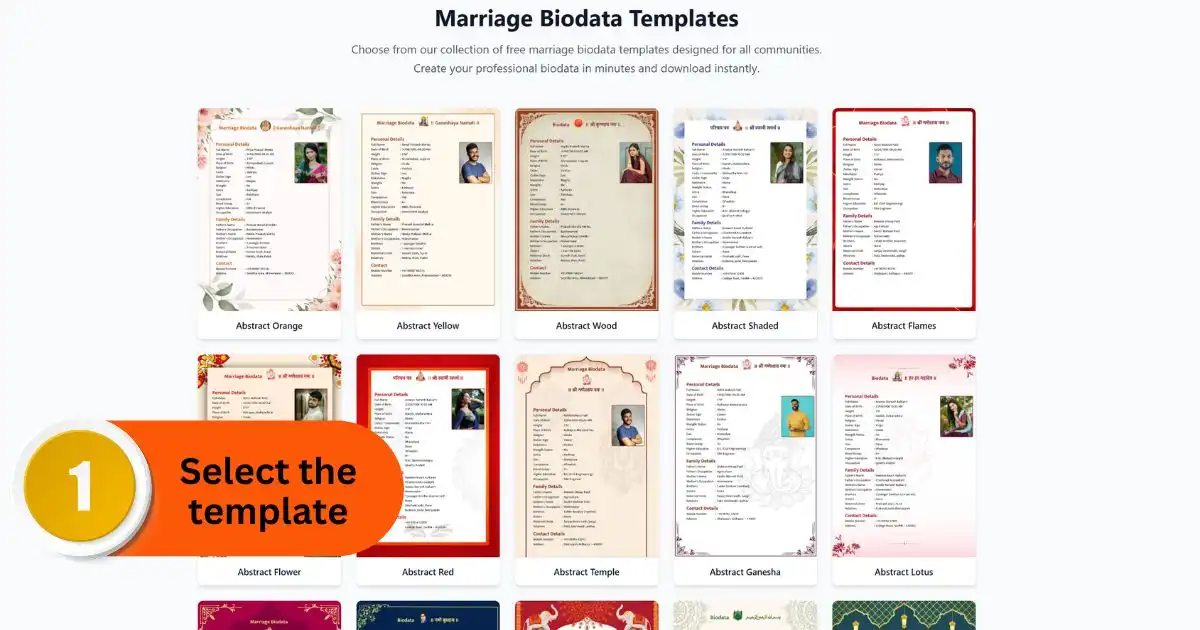
- Step 2: Gather Your Information
Before you begin, keep all your details ready. This includes basic personal information, family background, education, and work details. If there are any community-specific details you want to include, keep those handy as well. It also helps to decide which photo you'll use.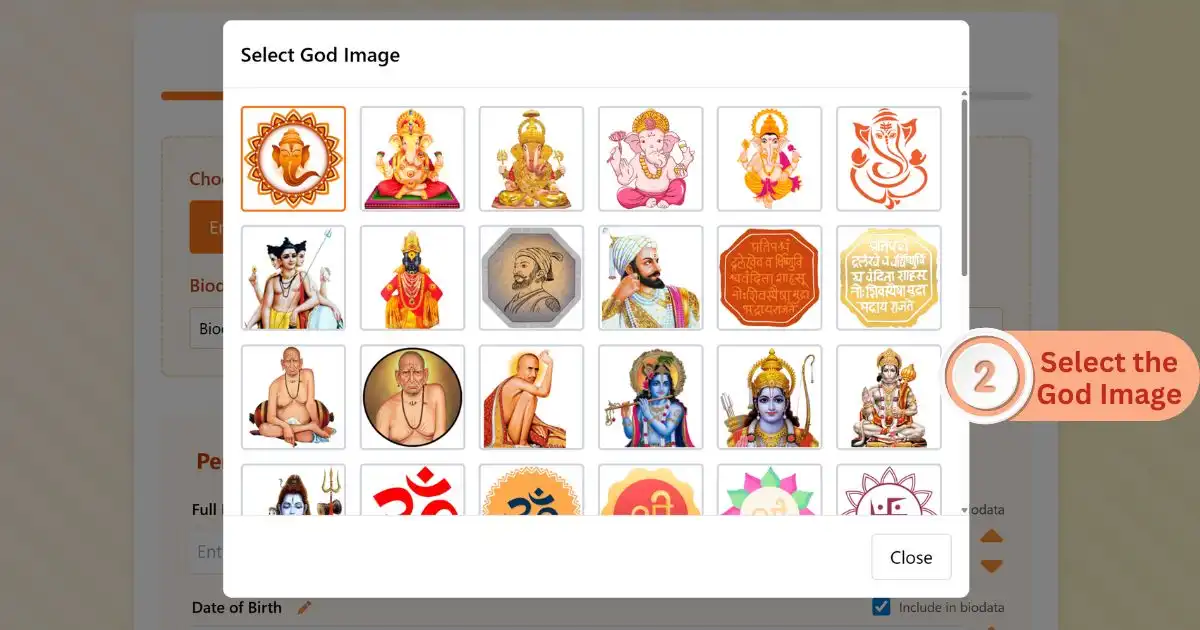
- Step 3: Fill in the Details
Enter your information step by step. Most tools show a live preview, so you can see your biodata taking shape as you go. Upload a clear, recent photo with a simple background so it looks professional.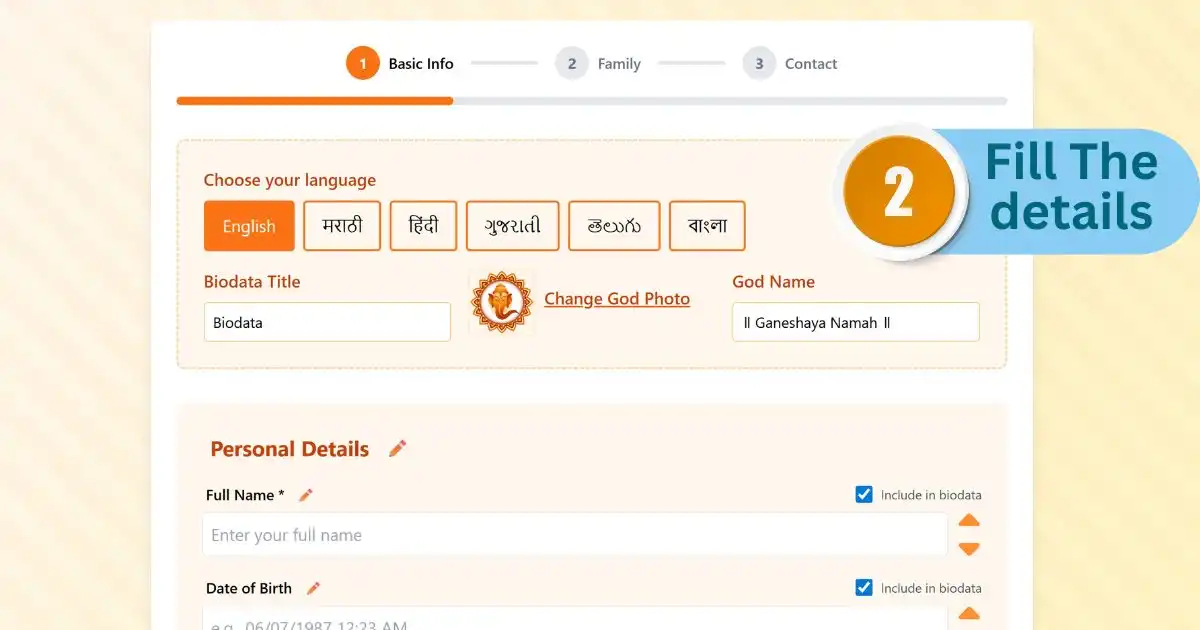
- Step 4: Review Carefully
Take a moment to go through everything before downloading. Check spellings, contact details, and make sure nothing important is missing. A quick review can save you from small mistakes.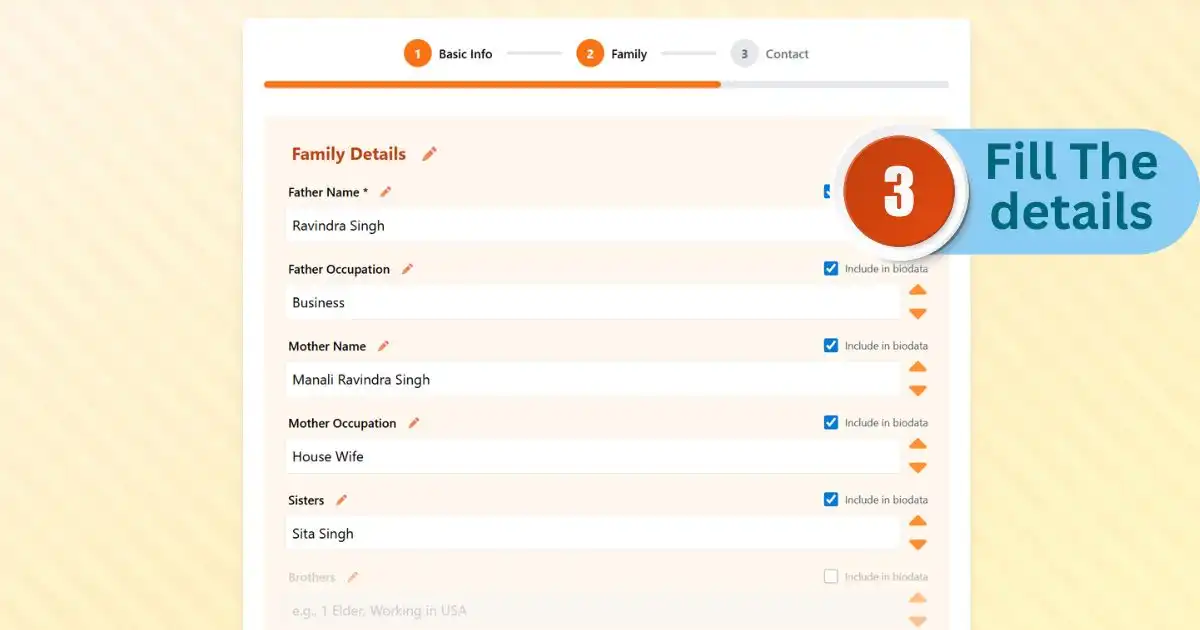
- Step 5: Download and Share
Once everything looks good, download your biodata. A PDF is perfect for sharing instantly on WhatsApp or uploading to platforms like BharatMatrimony or Jeevansathi. If you think you might need to make changes later, you can also download it as a Word file.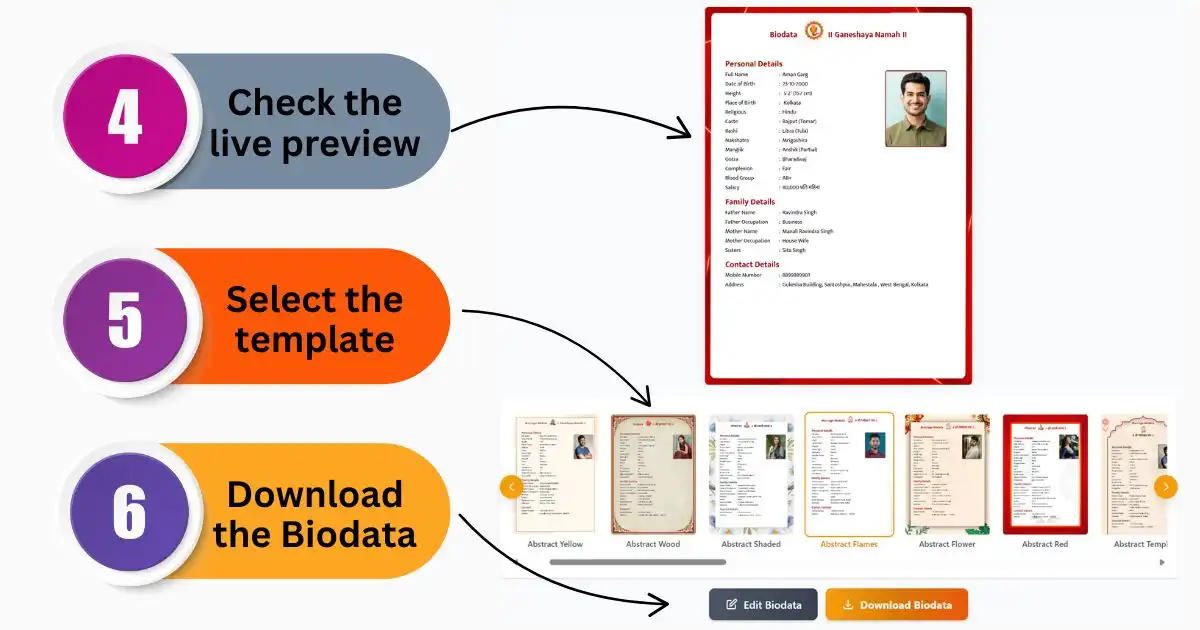
That's it. Simple, quick, and ready to share.